Download pdf scanner - WordScanner free on android
APK file com.ws.lite.worldscan 3.1.4.0How to install APK / APKS / OBB file on Android
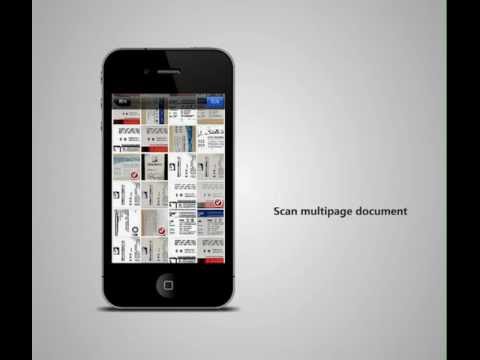

Scanner App Scan ererything into clear & sharp image/PDF.
With Scanner app, you can rapidly scan documents, and convert them into PDF format, as well as save them or send them by email, Print and save to cloud.
* Scan documents, photos, receipts, or just about anything.
* Batch mode combines multiple scans into a single PDF.
*Adopting advanced and fast algorithm, Scanner App use Advanced color processing algorithms remove shadows, correct perspective and distortion, making your scans as readable as possible.
*With powerful and easily operated interface, Scanner app can fast and simply adjust brightness, rotation and color through one click on one page.
Scanner app features:
1. Mobile Scanner ----scan and manage your document that may include multipage.
2. Fast scan in batch----scan continuously in batch without process waiting, which is fast and convenient.
3. Automatic side cut----utilize professional image processing algorithm to automatically help you cut the images.
4. Image enhancement----ensure document is clear and readable.
5. Text Recognition (OCR) ---- OCR (optical character recognition) feature extracts texts from single page for further editing or sharing.
6. Multi-sized PDFs----more than 10 PDF sizes are available (Letter,A4,B5, etc).You can customize the size or use self-adaption mode.
7. Save image to image library----conveniently process images so as to save them to image library.
8. Email----send your documents (PDF) or processed images by email.
9. Add Header----seach page of document may add headers, which can be searched.
10. Custom category----set custom category for your document to achieve convenient management and search.
11. Multiple browse modes----support browse modes, such as list and document-categorization.
12. Copy----support function of document copy to achieve convenient document management.
13. Search----Fast locate documents by searching document headers, page headers, etc.
Scanning tip: Make sure your document is smooth and sensitive to light.
Note: A flat background color may help achieve the best detection results of document edge.
- LicenseFree
- File namecom.ws.lite.worldscan
- File Version3.1.4.0
- Package namecom.ws.lite.worldscan
- Size64.69 MB
- UploadedSeptember 2, 2025
- Android5.0 or later

- CategoryBusiness
- DeveloperXiamen Worldscan Information Technology Co., Ltd.
- Developer sitehttps://www.wordscan.net
- Developer emailsamscaner@gmail.com
- md5 hash467c5d8ba82b32c52689d89725d6db6b
- Architecturearm64-v8a armeabi-v7a
- Permissionsshow (18)
